
If you wait for perfect weather to photograph your stock in the UK, cars will sit unlisted for days. The good news is that you don't need blue skies to get good photos, especially if you replace the background. You do need to know which problems the weather causes, and which ones editing can and can't fix.
What AI background replacement fixes
When Auto Studio replaces the background, it removes the parts of a photo most affected by weather: a flat grey sky, wet tarmac, puddles, and dull light on the surroundings. The photo below was taken on a phone on a wet street.
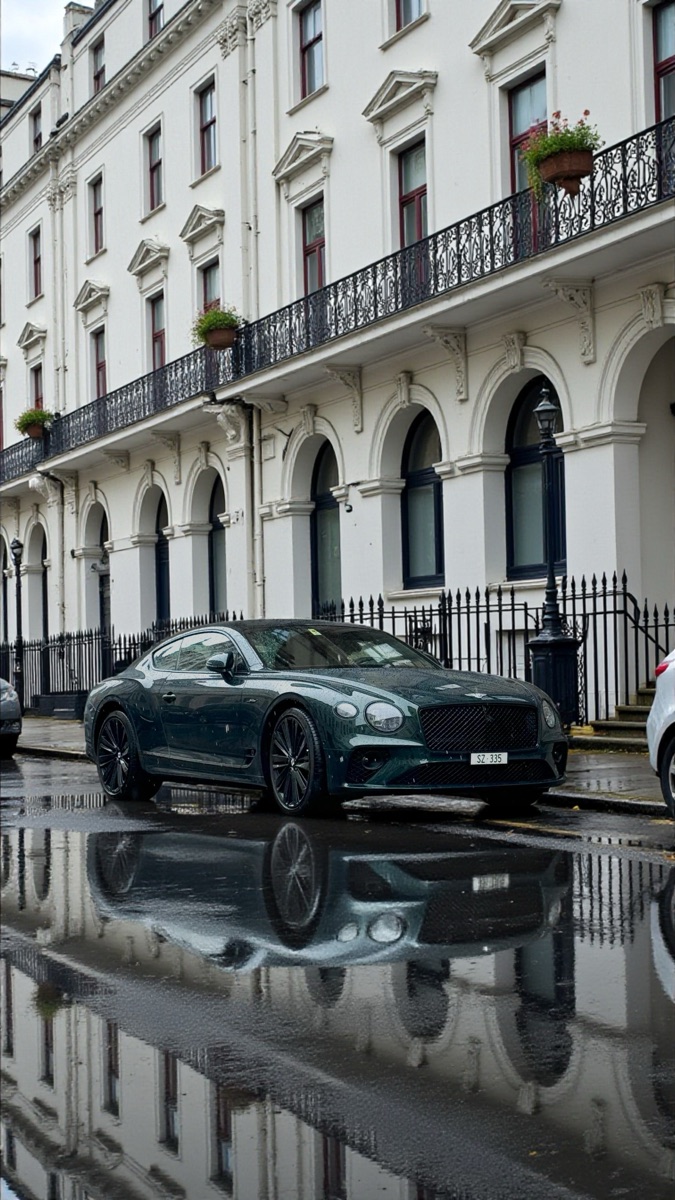 Before
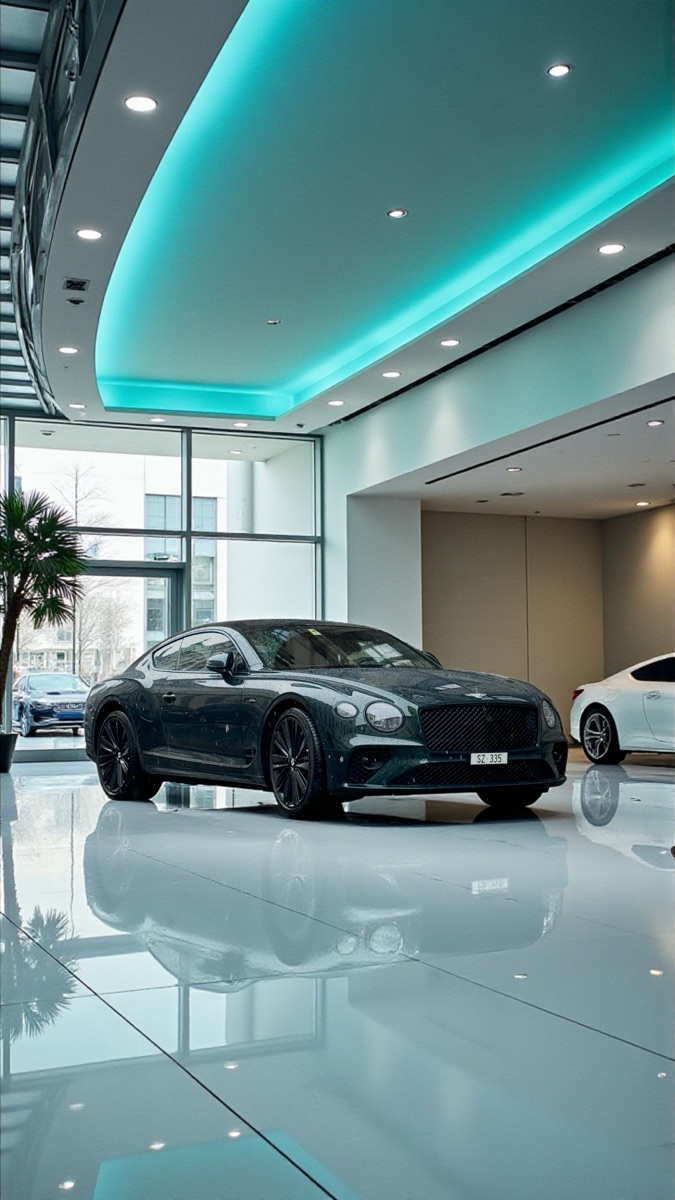 ✨ After Auto Studio
That alone makes a big difference. A car photographed on a grey morning can sit on the same clean background as one photographed on a sunny afternoon, so your stock list stays consistent all year. Find out more about car photo background removal.
What Car Cleanup fixes on the car itself
Background replacement works on what is around the car. For the car itself, turn on Car Cleanup: the AI removes dirt, dust, mud, road grime, water spots and bird droppings, tidies minor dents, scratches, scuffs and paint chips, polishes the paint, cleans the alloys and dresses the tyres. So there is no need to wash or dry the car between showers before you shoot.
What AI Improvement and AI Relighting help with
Weather mostly shows up in the light on the car. Two more switches in Processing Settings are aimed at that:
- AI Improvement removes reflections from the bodywork and enhances the paint. Grey skies and wet surroundings tend to show up as dull reflections, especially on dark cars.
- AI Relighting adjusts the lighting on the car to match the new background, so a car shot under a flat grey sky sits more naturally in a bright showroom.
Both are off by default, and neither costs extra: 1 credit = 1 processed photo, whichever switches are on. How to use these settings.
What still needs care
The AI works best with a reasonable photo to start from. These are still worth getting right on the day:
- Harsh low sun: strong glare, deep shadows or one side of the car in bright sun and the other in shade. AI Relighting helps even out the overall light, but a photo taken in even light gives it far less to correct;
- Your own reflection, or a large, sharp reflection of a building, is easier to avoid when you shoot than to remove afterwards;
- The interior, which Car Cleanup doesn't touch, so clear out personal items and clutter.
The rest of this guide is about dealing with those.
Rain
- Shoot under cover if you can. A canopy, a workshop doorway or a car port lets you photograph between showers and keeps the light even. If the background is going to be replaced, it doesn't matter what is behind the car.
- Wipe the phone lens. A single raindrop on the lens blurs the whole photo. Check it before each car.
Grey, overcast skies
An overcast day can actually be one of the best times to photograph cars. Cloud acts like a giant soft light, so there are no harsh shadows or bright hotspots. The photos may look a little flat straight out of the camera, but once the background is replaced, the car itself often looks clean and evenly lit. If it still looks dull against a bright background, turn on AI Relighting.
Low winter sun
Low sun is common in a British winter and causes the most problems: strong reflections, harsh shadows and glare into the lens.
- Avoid shooting straight into the sun. Turn the car or move round it so the sun is behind you or to one side.
- Watch for your own reflection and shadow in the bodywork, especially on dark cars.
- If one side of the car is in bright sun and the other in deep shade, wait for a cloud or move the car into even light.
Wind and cold
Wind blows leaves and dust onto the car, but Car Cleanup takes care of dust and road grime, so you don't need to keep re-cleaning it. What wind and cold do affect is you: cold hands mean shaky, rushed shots. Keep the phone steady, and check loose leaves or litter aren't hiding a wheel or sitting inside the car.
Keep the framing consistent whatever the weather
Bad weather makes people rush, and rushed photos are usually badly framed. The Auto Studio camera's ghost overlay helps here: line the car up with the outline, keep the points where both tyres touch the ground below the red line, and take the shot. Our guide to keeping both tyres in frame explains the rule, and the angle checklist keeps your shot list the same in any weather. For the bigger picture, see AI car photography for UK dealers.