
Your photos do most of the selling before a buyer ever calls you. These tips are aimed at dealers who photograph their own stock, usually on a phone, and want listings that look consistent and professional. For a step-by-step workflow, see our full AutoTrader photo guide.
AutoTrader is a trademark of its owner, and Auto Studio is not affiliated with it. Image requirements can change, so check the current guidance in your retailer account.
1. Treat the lead image as your shop window
The first photo is the one buyers see in search results. Many dealers use a front three-quarter view, which shows the front and one side of the car at once. Whichever angle you choose, make it the same for every car.
2. Keep the order the same on every listing
When every gallery follows the same sequence, buyers can flick between your cars and compare them easily. Agree an order with your team and write it down. Our car photo angle checklist is a good place to start.
3. Skip the wash, but declutter the cabin
You don't need to wash the car first. Turn on Car Cleanup and the AI removes dirt, dust, mud, road grime, water spots and bird droppings, tidies minor dents, scratches, scuffs and paint chips, polishes the paint, cleans the alloys and dresses the tyres. It doesn't touch the interior, though, so clear out personal items, paperwork and air fresheners, and remove trade plates and any old stickers before you shoot.
4. Fill the frame, but don't crop the car
The car should take up most of the photo, with a small margin around it. Cutting off a bumper or mirror makes a photo look careless, and it gives background removal less to work with.
5. Shoot at the car's height
Hold the phone at roughly the height of the car's headlights for exterior shots. Shooting from standing height looks down on the car and makes it look smaller.
6. Keep both tyres grounded in the shot
If you use the Auto Studio camera, keep the points where both tyres touch the ground below the red line. That gives the AI a clear view of where the car meets the floor, so it can sit naturally on a new background. Here is why both tyres need to be in frame.
7. Use one background for your whole stock
A consistent background is one of the quickest ways to make a stock list look professional. Replacing a busy forecourt with a clean scene also removes distractions such as other cars, signs and buildings.
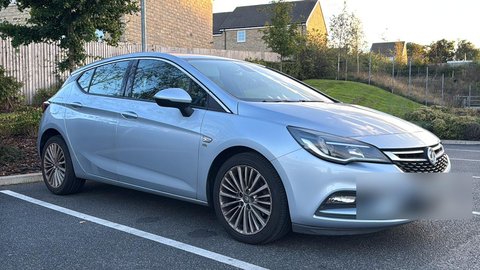 Before
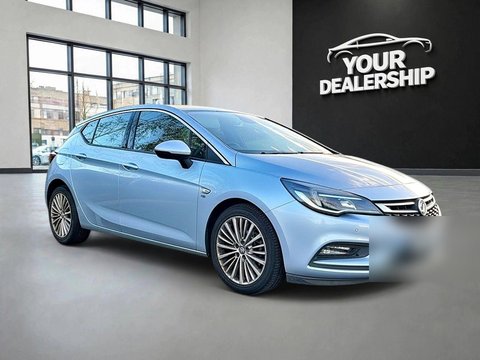 ✨ After Auto Studio
Read more about car photo background removal for dealers.
You can brand the photos at the same time. Switch on Add Logo to put your dealership logo in the same corner of every image (upload it once in Logo Settings), and Replace License Plate to swap the number plate for text such as your dealership name. Plate replacement only works once you've typed the text, up to 12 characters. Check the marketplace's current guidance on logos and number plates before you rely on either.
8. Show the condition honestly
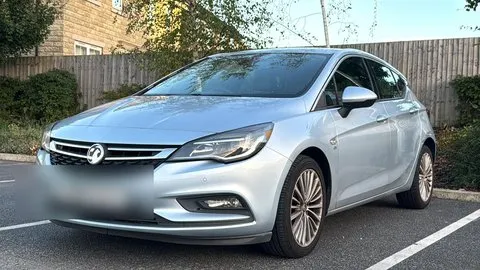
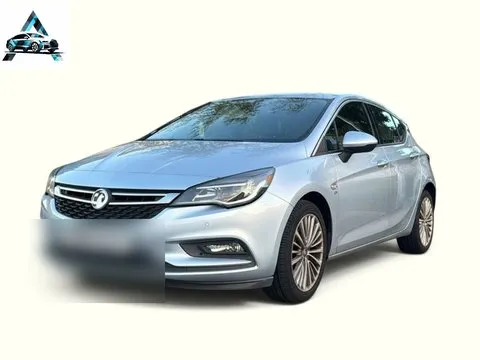
Buyers appreciate honesty, and surprises at a viewing waste everyone's time. If there is a mark, a scuff or wear on a seat, include a clear photo of it. Clean backgrounds should make the car easier to see, not hide anything.
9. Don't forget the interior and the boot
Interior photos matter just as much as exterior ones for many buyers. Include the dashboard, front and rear seats, the boot, and any features worth highlighting, such as a panoramic roof, a large touchscreen or a full service history.
10. Make it a routine anyone can follow
The best photo process is one that works whoever is holding the phone. A written shot list, a standard background and a camera guide mean a new member of staff can take photos that match the rest of your stock on their first day. To save time, bulk upload a car's whole set of photos in one go: they're all processed with the same background and settings, so the gallery matches. Step-by-step instructions are in how to use Auto Studio. If you are weighing up tools to help, see our page on car dealer photo editing software.