
What is AI car photography?
AI car photography means using software to do the slow parts of vehicle photography for you. Instead of booking a photographer, building a photo booth or spending evenings in editing software, you take an ordinary photo of the car on your phone. The AI finds the car, separates it from everything around it, and places it on a clean, consistent background.
For a UK dealer, that matters because buyers almost always see your photos before they see your forecourt. Most people scroll through dozens of similar cars on a listing site, and the photos are what make them stop. A clean, consistent set of images helps your stock look cared for, even if it was photographed in a car park on a grey Tuesday.
See the difference on a real phone photo
Here is a car photographed on a phone on a wet street, and the same photo after it has been through Auto Studio. Nothing was staged, and no special equipment was used.
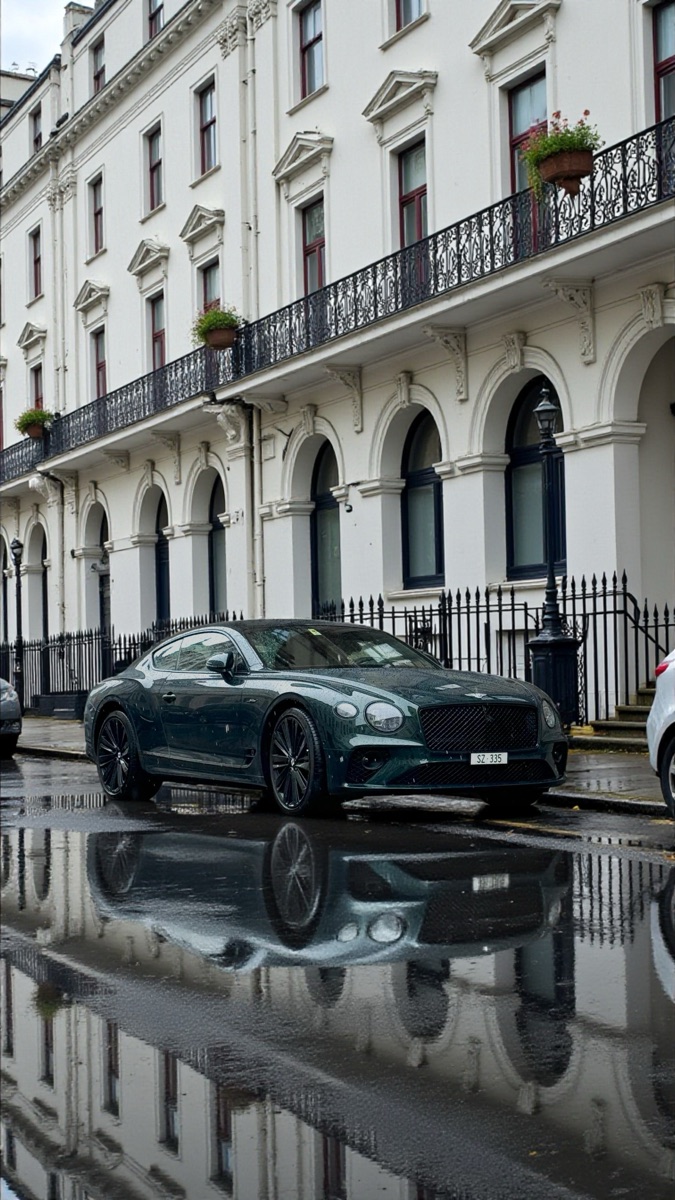 Before
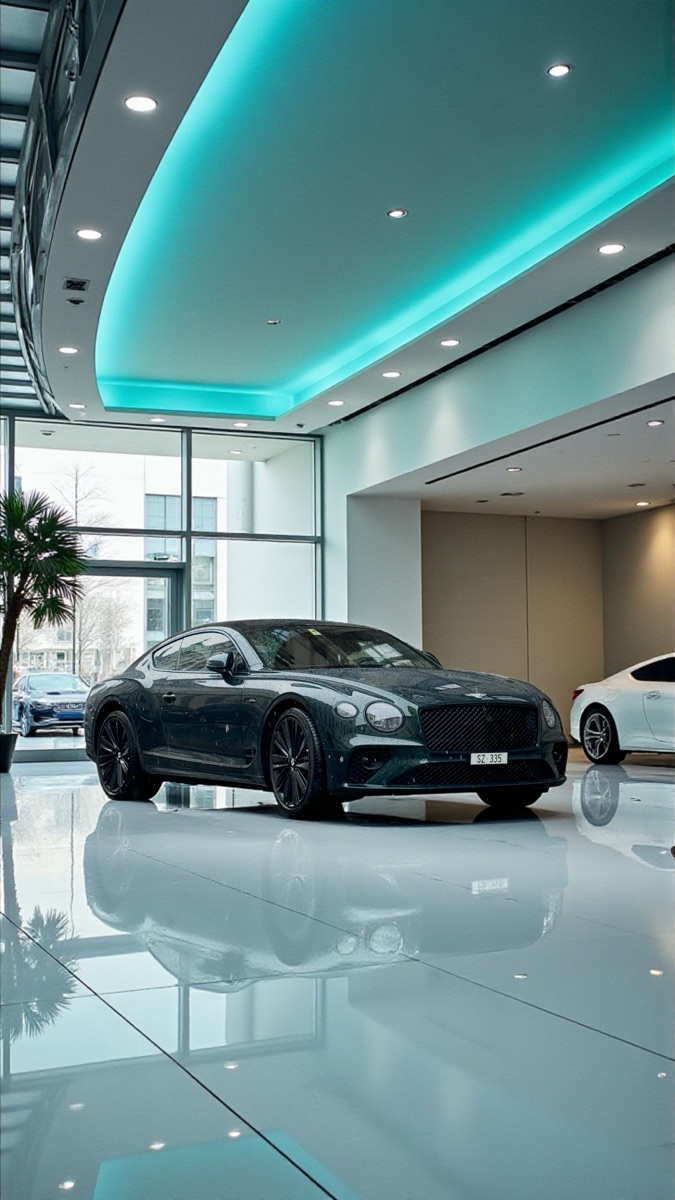 ✨ After Auto Studio
The car itself is not repainted or replaced. Auto Studio keeps the vehicle from your photo and changes what is around it, so what the buyer sees online is the car they will see when they visit.
How AI car photography works in Auto Studio
- Line up the shot. Open the Auto Studio camera on iPhone, Android or the web. A ghost overlay shows you where the car should sit, with seven guided angles including front, rear and three-quarter views. The one rule to remember: keep the points where both tyres touch the ground below the red line. Our guide to keeping both tyres in frame explains why.
- Choose a background. Pick from more than 60 standard backgrounds, from bright studios to branded showroom scenes (custom backgrounds are available on Starter and above, as a limited-time offer), and use the same one across your whole stock for a consistent look.
- Let the AI process it. Auto Studio removes the original background, places the car on your chosen scene, and can brand the number plate with your dealership name and add your logo. Switches such as Car Cleanup and AI Relighting are optional; see how to use each one. A typical image is ready in under ten seconds.
- Download and list. Your images are saved to a private gallery that you can reach from any device. Download them and upload them to your website or the marketplaces you use.
Why UK dealers use AI for car photos
Consistency across the whole forecourt
When every car is shot from the same angles and placed on the same background, your stock list looks like it belongs to one business. That is hard to achieve when different members of staff take photos in different spots, at different times of day, in changeable British weather.
No photography skills needed
The ghost overlay does the framing for you, so a salesperson, a valeter or an apprentice can take photos that match. You don't need to train anyone on lenses, lighting or editing software. If you want a starting point, our car photo angle checklist lists the shots most dealers take for each vehicle.
Weather stops being a problem
Rain, grey skies and a busy background are a fact of life on UK forecourts. Because the background is replaced, a cloudy day matters far less, and Car Cleanup removes water spots, mud and road grime from the car itself. Our guide to forecourt photos in bad weather covers what still matters, such as reflections and low sun.
Faster time to listing
A car that is sitting in the workshop waiting for photos is a car nobody can find online. Processing images on your phone in seconds means you can photograph a car as soon as it has been prepared and get it listed the same day.
What it costs in pounds sterling
Auto Studio is priced in GBP for UK dealers, and 1 credit = 1 processed photo, whichever options you turn on. Accounts registered during our current launch offer get 10 free credits every month, with no credit card needed, so you can try it on real stock before paying anything. When you need more, paid plans start at £49.99 a month, and your first paid month is half price.
On every plan, 1 credit = 1 processed photo, whichever options you turn on. *10 free credits every month for accounts registered during the current launch offer, no credit card required. 50% off your first paid month is applied at checkout. Larger plans, annual billing and Pay As You Go credits are on the full pricing page.
Is AI car photography right for your dealership?
If you photograph your own stock and want it to look more consistent, AI car photography is worth trying. It suits independent dealers who shoot on a phone, growing dealerships that want every branch to look the same, and anyone who has lost an afternoon to editing photos. If you already use a professional photographer or a dedicated photo booth, Auto Studio can still help with branding and consistency, but you may not need it for every car.
The simplest way to find out is to try it on a few cars from your current stock. Use your free credits (1 credit = 1 processed photo), compare the results with your existing photos, and decide from there. You might also find our pages on car photo background removal and dealer photo editing software useful.