
When you use Auto Studio's camera, there is really only one rule to remember: keep the points where both tyres touch the ground below the red line. It works for every angle, and it is the main thing that separates a car that looks naturally parked on its new background from one that looks pasted on.
Good and bad framing, side by side
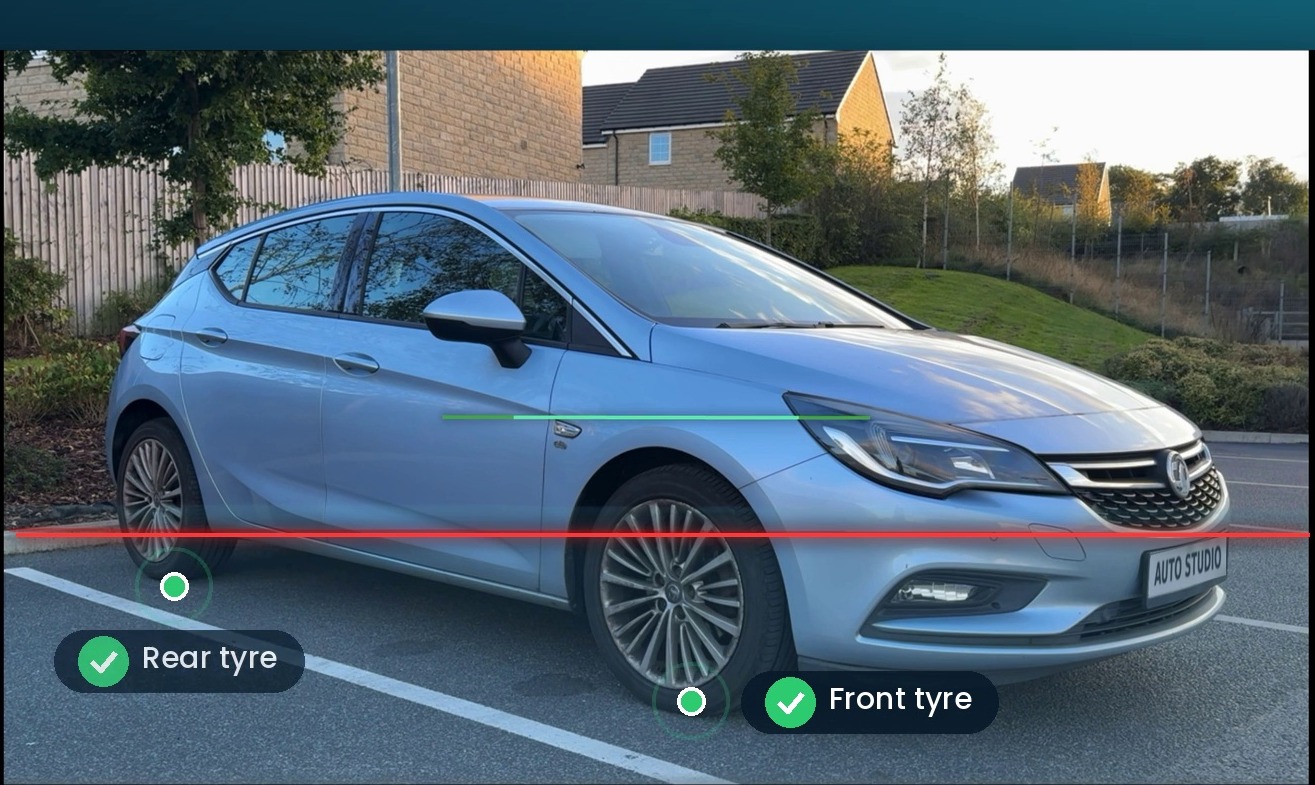
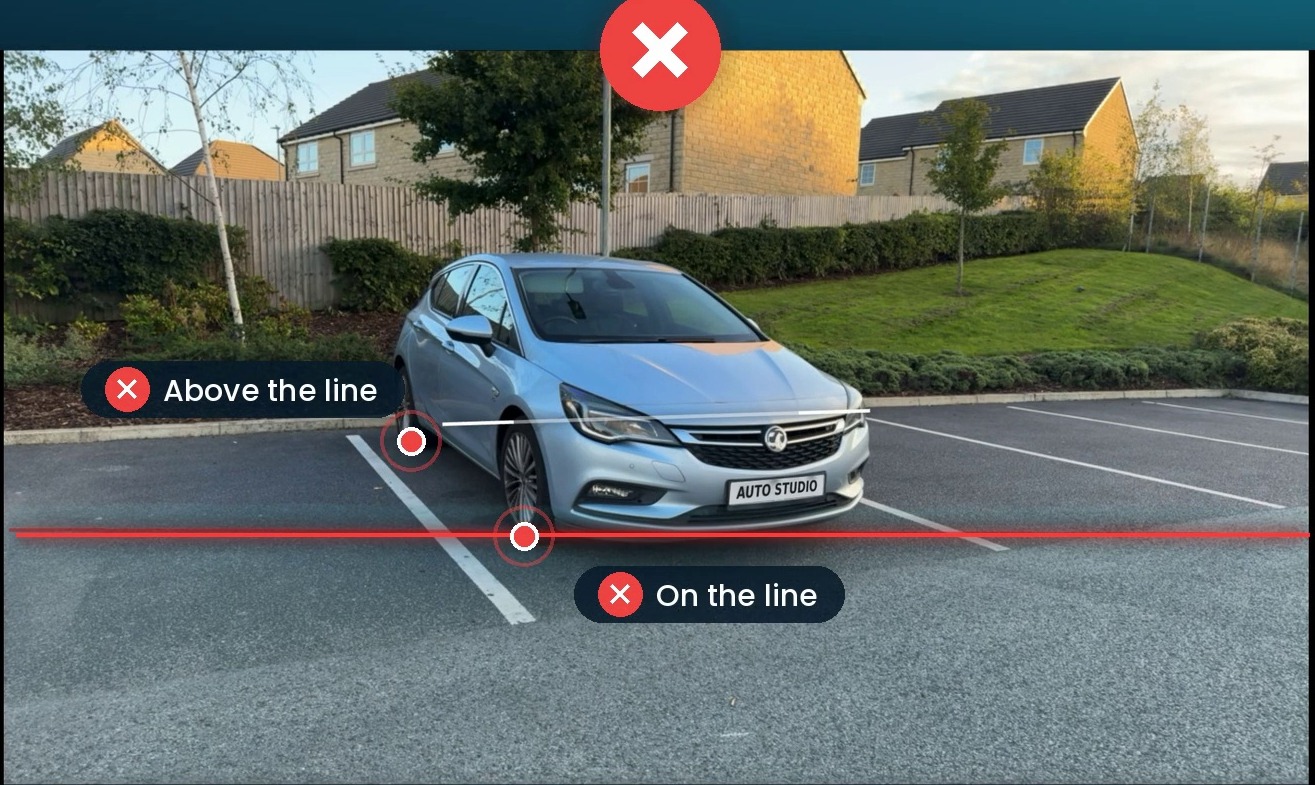
In the good example, the whole car is in shot and the points where the front and rear tyres meet the ground both sit below the red line. In the bad example, the car is too far away, so it is small in the frame and the far tyre sits above the line.
Why the tyres matter so much
They tell the AI where the ground is
When Auto Studio replaces a background, it has to place the car on a new floor. The points where the tyres touch the ground are how it knows where that floor should be. If both contact points are clearly visible, the car can be placed so it sits on the new floor at the right level.
They make shadows and reflections believable
A car on a real floor casts a shadow underneath it, darkest where the tyres touch the ground. When both tyres are clearly in frame, that grounding looks natural. When one is cut off or hidden, the car can look like it is floating or tilted.
They keep the car the right size
Keeping both tyres below the line also means the car fills a sensible amount of the frame. Too far away and the car is small, with lots of wasted space; too close and something gets cropped. The line gets you into the right range without having to think about it.
How to get it right every time
- Start with the ghost overlay. Pick the angle in the Auto Studio camera and line the car up with the outline on screen.
- Check the tyres. Look at where each visible tyre touches the ground and make sure both points are below the red line.
- Step closer or further. If a tyre is above the line, you are probably too far away. Take a step forward and check again.
- Keep the whole car in shot. Make sure nothing is cut off at the edges: bumpers, mirrors and the tops of the wheels.
- Take the photo. That's it. The rest is done by the AI.
Common mistakes
- Standing too far back. The most common cause of a tyre sitting above the line. Fill the frame with the car.
- Something in front of a wheel. A kerb, a cone, a sign or another car hiding a tyre makes it harder for the AI to ground the car.
- Shooting from too high. Holding the phone above your head changes the angle and moves the tyres around in the frame. Keep it at about headlight height.
- Wheels turned. Straighten the front wheels before you start so they look the same in every shot.
The result
Follow the rule and the car sits naturally on its new background, like this:
 Before
 ✨ After Auto Studio
Want to try it? The rule is built into the Auto Studio camera on iPhone, Android and the web. Use it with our car photo angle checklist, and read more about background removal and AI car photography for UK dealers.